Audit Logs give your team a clear, auditable record of what’s happening inside the Lumu Portal.
Admin and CM users have visibility into actions and activities across users, collectors, integrations, gateways, reporting rules, and more.
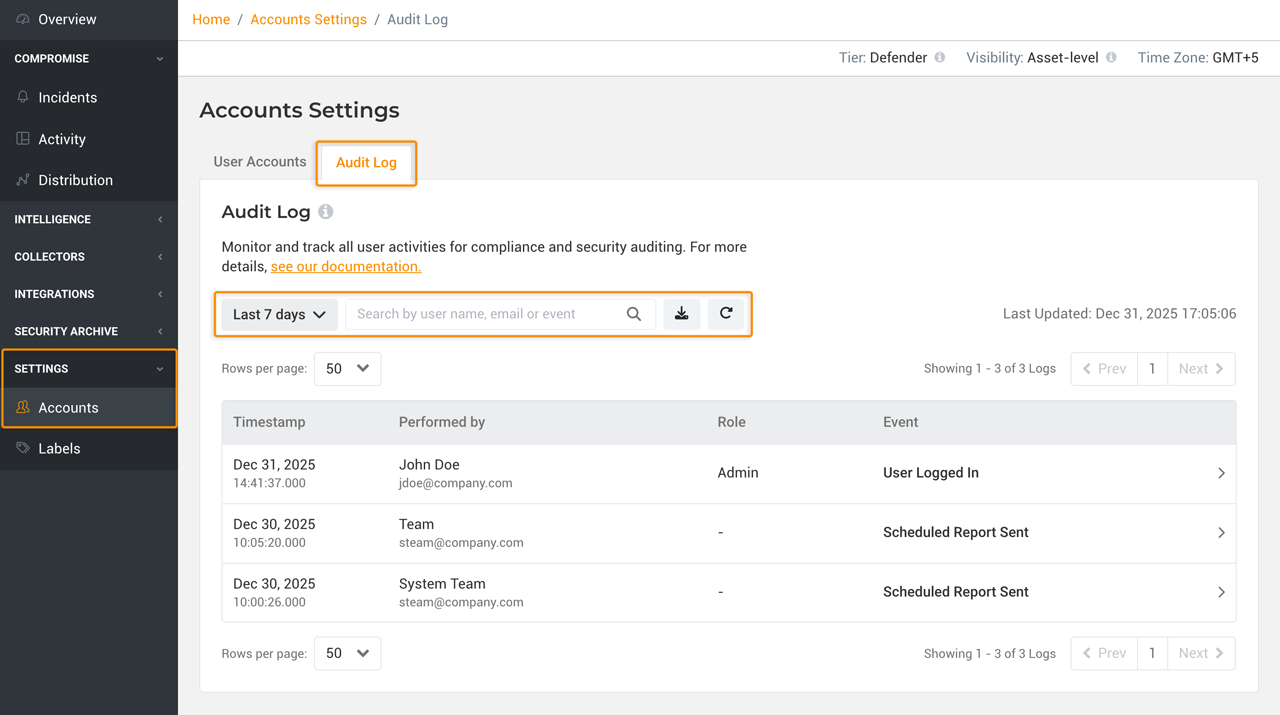
Each action is stored with full technical detail (in JSON), can be filtered by user, date, or event type, and exported to CSV for compliance, investigations, or internal reviews.
How to access Audit Logs
Log into the Lumu Portal with an Admin or CM account.
In the left navigation, go to Settings > Accounts.
Open the Audit Log tab.
Filter by date range, user, or event, or search by name, email, or event.
Click any row to view the full JSON log and copy it as needed.
Use the Download icon to export the filtered view as a CSV (up to 10,000 items).